
|
|
Print | |
| HotKey | CTRL + P |
| 1. To print a file, go to "File" then "Print..." as shown to the right. | 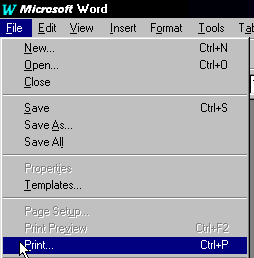 |
| 2. You will then have the Print options open. Using the drop down menu, choose the printer you wish to print from and click on it once. Under "Page Range" you have the option of printing "All Pages", "Current Page", or "Pages:". If you wish to print pages 4-7, then choose "Pages:" and type in "4-7". To the right of that you can choose the number of copies to print. | 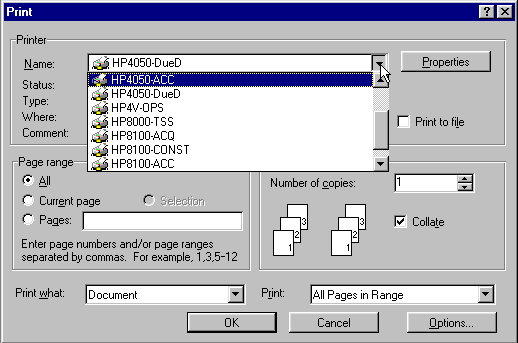 |
| 3. Once you're ready to print, click on "OK" at the bottom. | |
